Working-day schedule
Every task sits on a close day from WD-3 to WD10. CloseDesk dates them from your first working day, skipping weekends and your holiday list.
Features
Built for Indian finance teams and the accountants who close books for several companies.
Every task sits on a close day from WD-3 to WD10. CloseDesk dates them from your first working day, skipping weekends and your holiday list.
Keep your checklist as a template with owners, working days and dependencies. Start each close from it, or copy last month’s close.
Tasks marked quarterly or yearly join the close only at those period ends, following your fiscal year (April to March by default).
GST, TDS and other filings use their legal dates, such as the 11th or 20th of the following month, and move when the date falls on a holiday.
A task can wait on others. It shows as blocked until they are signed off, so work happens in the right order.
Add one-off work, such as replying to a notice, with its own due date. It stays out of future closes.
The first page after sign-in: what is due today, tomorrow, this week or this month and waiting on you, across every company, filtered by company and close. Staff managers see the whole team’s pending items and filter by person.
Preparer, optional reviewer and approver come from Roles for each functional area. The server checks each step, so no one can sign for someone else.
Build reconciliations line by line with your own columns, see the unexplained difference and ageing, and check open invoices against the subledger.
Keep supplier and customer invoices, credit and debit notes, and payments. Paste an open-items report from Excel to load many at once.
Upload the GSTR-2B JSON from the GST portal and match it to your purchase register, with tolerance and fuzzy invoice-number matching.
Discuss each task in place, @mention a colleague and attach workpapers. Attaching and removing files is logged.
Add companies as your plan allows. Everyone in the account can work in all of them.
See every task in every close of every company. Filter by company, by close period, or both.
Start next month’s close for one, several or all companies at once. Each uses its own template, roles and calendar.
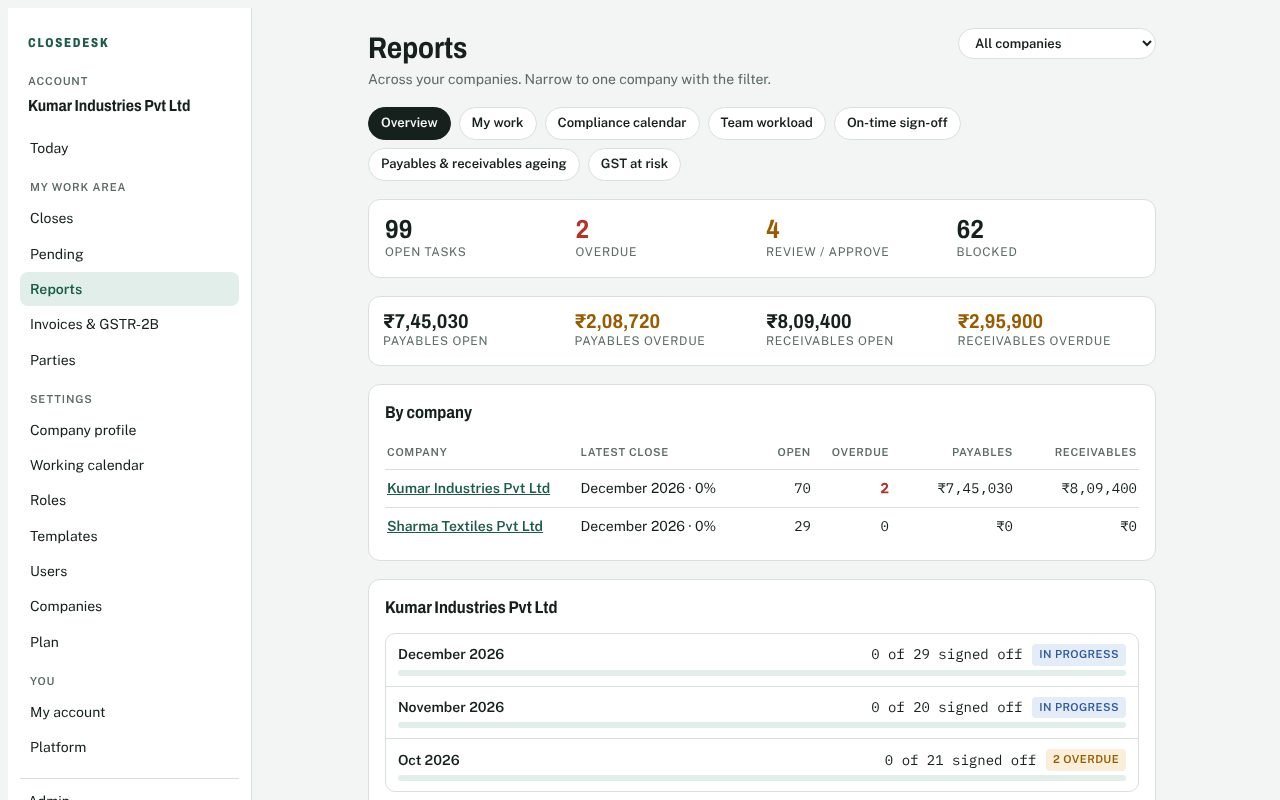
Overview, My work and Compliance calendar for everyone; Team workload, On-time sign-off, Payables and receivables ageing and GST at risk for admins. Download any table as CSV.
Admins change settings, people, companies and the plan. Staff do the close work.
Every step is logged with who did it. Signed-off tasks are locked until an approver or admin reopens them.
See where every close stands, who is overloaded, what was signed off late and how much input tax credit is at risk, company by company or in total.
Start free